Restaurant Costs & Accountability
How digital line checks save restaurants money
Paper is inexpensive. Running an important process on paper is not. Digital line checks reduce supply waste, protect shift records, and show managers who completed each check, when it happened, and how long it took.
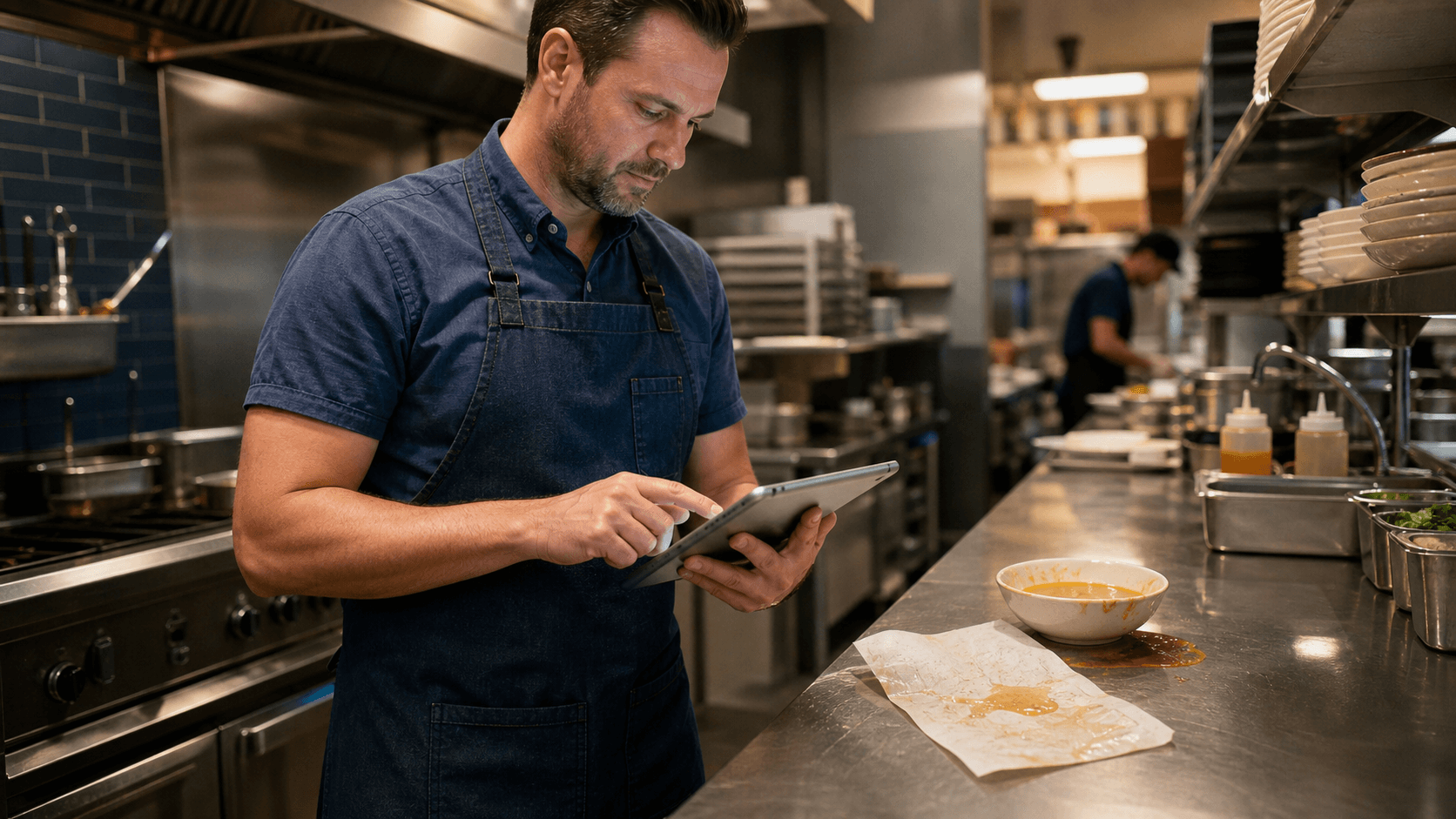
A spill can erase a paper record. A digital history stays available to the team.
Replacing paper line checks is not just about buying fewer reams of paper. The larger savings come from removing the hidden work around printing, distributing, filing, finding, reading, and manually comparing forms—and from catching expensive operational problems sooner.
Lower process costs
Reduce paper, ink, binders, storage, reprinting, and the management time spent handling forms.
A durable history
Keep completed checks searchable and organized instead of relying on a binder that can be damaged or misplaced.
Time-stamped proof
See who completed each check, when it was submitted, and what the team recorded.
Faster follow-up
Review issues quickly, spot repeat failures, and coach from facts instead of reconstructing a shift from memory.
Paper is cheap. The paper process is expensive.
A single checklist may cost only a few cents to print. But restaurants do not buy one checklist. They print opening, mid-shift, closing, temperature, sanitation, and station forms across every day and every location. Add toner, printer maintenance, clipboards, binders, storage, and replacement copies, and the direct cost grows.
The larger expense is labor. Someone creates the form, prints it, distributes it, reminds the team to complete it, files it, searches for it later, and manually reviews pages for patterns. The right digital restaurant line check software removes much of that handling and makes the record immediately useful.
Digital records do not disappear with the binder
A paper line check can be destroyed by spilled soup, soaked during cleanup, thrown away with prep sheets, filed in the wrong week, or carried home by mistake. Even a form that survives may fade, tear, or become difficult to read.
A properly managed digital system keeps the history organized by date, location, employee, and check. Managers can retrieve a past record without searching a cabinet page by page. That makes internal reviews, coaching conversations, and inspection preparation much faster.
Digital does not mean indestructible by default. Restaurants should use a system with appropriate access controls, dependable storage, backups, and a retention policy that fits their operational and local regulatory requirements.
Time stamps turn completion into accountability
A handwritten checkmark says that someone marked a box. It may not show who did the work, whether the check happened before service or hours later, or whether an entire station was rushed through in a minute.
Digital checks can record the team member, completion time, individual observations, and total duration. Managers gain a clearer view of how each shift actually operates. An unusually short check can start a coaching conversation; a consistently long check may reveal a checklist that needs simplification, a station that needs attention, or an employee who needs more training.
The goal is not surveillance. It is a fair, shared record that replaces guesswork. Team members know what is expected, managers can recognize consistent work, and follow-up can focus on specific exceptions.
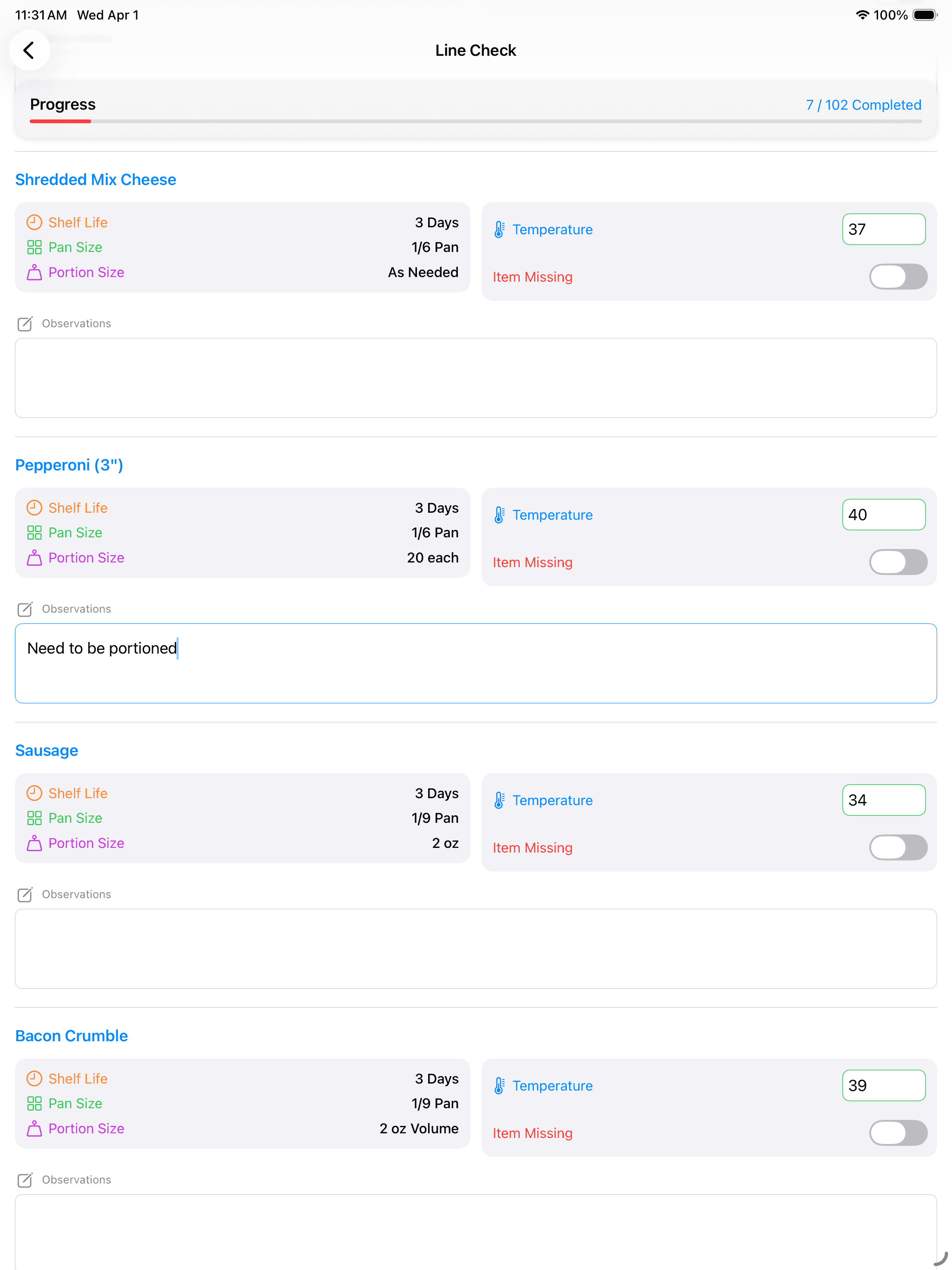
The biggest savings may come from problems caught earlier
Paper forms are good at storing individual answers. They are poor at showing patterns. If the same cooler misses its target every Friday, the evidence may be spread across a month of pages. If one item is repeatedly missing or prepared incorrectly, someone has to notice it manually.
Digital records can summarize recurring temperature issues, missing items, preparation failures, weak completion days, and differences between locations. Earlier visibility can reduce waste, emergency purchases, avoidable overtime, repeated retraining, and the operational disruption caused by issues that remain hidden.
More advantages over handwritten forms
Consistent standards
Every location sees the same current checklist instead of relying on photocopied versions that may be outdated.
Required information
A digital workflow can require a temperature, answer, note, or corrective action before a check is submitted, reducing blank fields.
Readable records
Managers no longer have to interpret rushed handwriting or unclear marks.
Faster updates
When an item, process, or standard changes, leaders can update the checklist without printing and replacing forms at every location.
Better multi-location oversight
Area leaders can review activity without waiting for forms to be scanned, emailed, or delivered from each restaurant.
Recognition as well as correction
Reliable completion history makes it easier to recognize team members who consistently complete careful, timely checks.
| Need | Paper process | Digital process |
|---|---|---|
| Find an old check | Search binders or storage | Filter a searchable history |
| Confirm timing | Rely on a handwritten time | Review a recorded time stamp and duration |
| Read the result | Interpret handwriting | Review standardized entries |
| Update a checklist | Reprint and redistribute copies | Publish the current workflow |
| Spot repeat issues | Compare pages manually | Review summarized trends |
Kitchen Wi-Fi should not decide whether the check gets done
Offline-capable line checks let the team continue working when the connection drops and sync completed work after reconnecting. That keeps the routine dependable in walk-ins, prep areas, patios, and older buildings where Wi-Fi may be unreliable.
The real return is a process managers can see and improve.
Saving paper is useful. Saving management time, preserving operational history, finding repeat problems, and creating fair accountability are what make digital line checks a stronger long-term operating system.
Ditch the paper